HEHE
← All projects

TELLGENCE

A dashboard for watching an AI front desk, stepping into any call, and teaching the AI as you go.

Industry
AI SaaS · professional firms
Platform
Web dashboard
Scope
7 dashboard areas · 19 emails
Services
Product design
Visit live website ↗
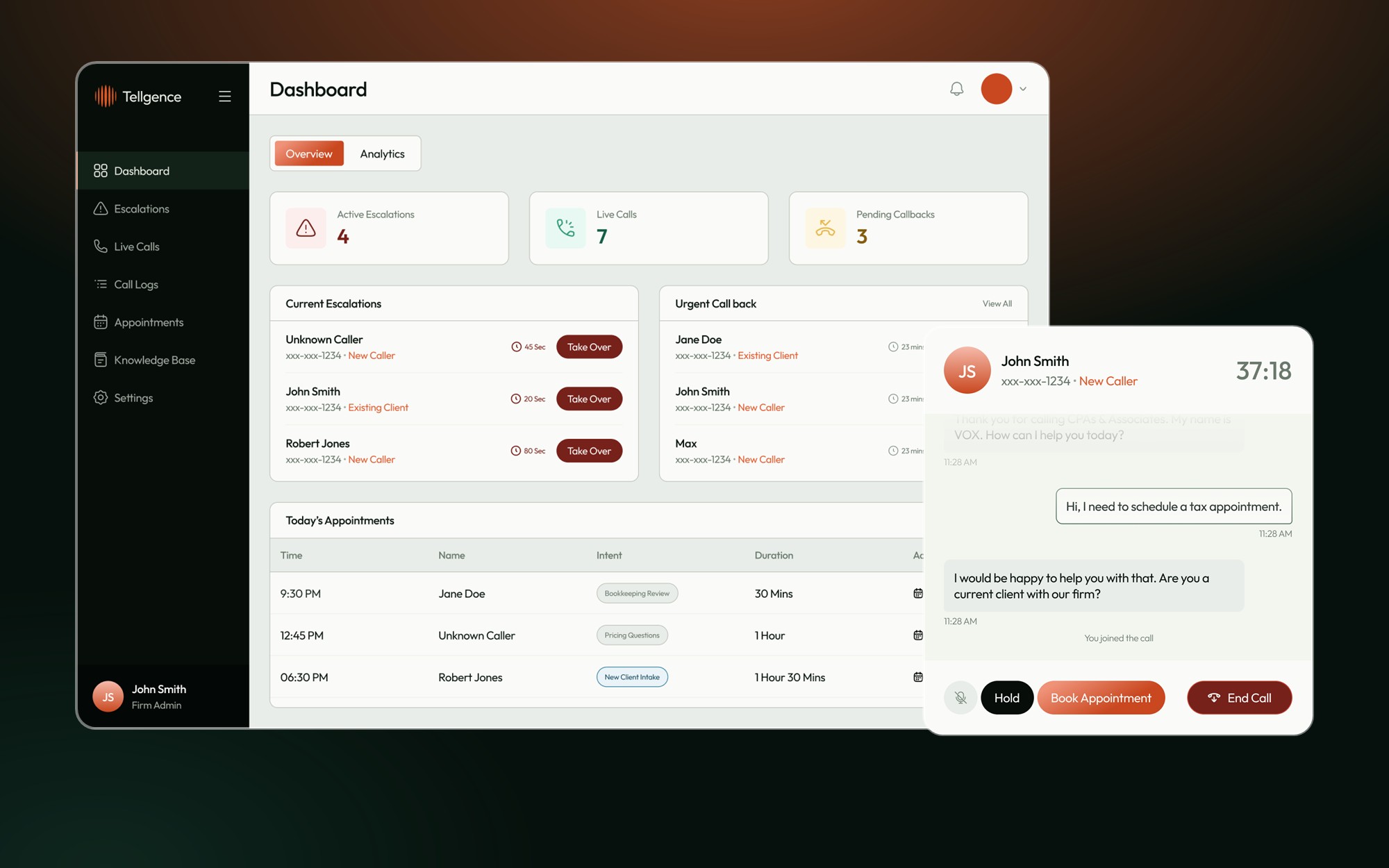
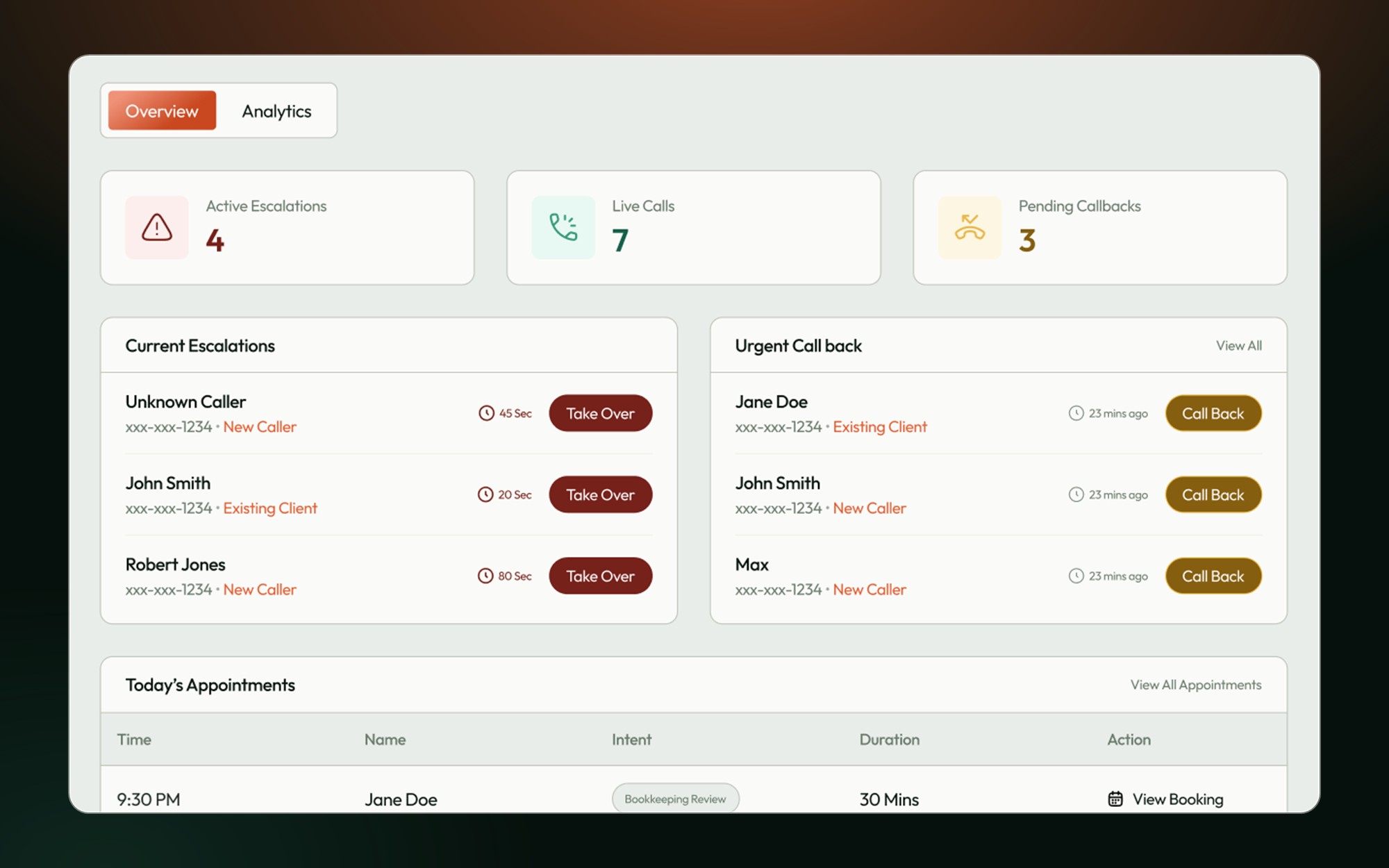
Tellgence dashboard: overview and live call monitor
7Dashboard areas

Overview to settings

5Call states

Active to resolved

6Settings areas

Agent, hours, roles and more

19Email templates

Setup to weekly report

The AI answers. The firm stays in charge.

An AI front desk only works if people can see what it does and step in when it matters.

  • See every call as it happens
  • Reach a person quickly when asked
  • Feed what the AI missed back into what it knows

The design question

How does a busy firm supervise an AI without watching it all day?
02 / Who uses it

Who it’s for.

03 / The flow

A call, step by step.

From first ring to a smarter AI

  1. A call comes in1
    A call comes inIt appears live, with intent and confidence
  2. The AI flags it2
    The AI flags itLow confidence or a caller asking for a person
  3. Staff takes over3
    Staff takes overRead the transcript, then join the call
  4. The call is logged4
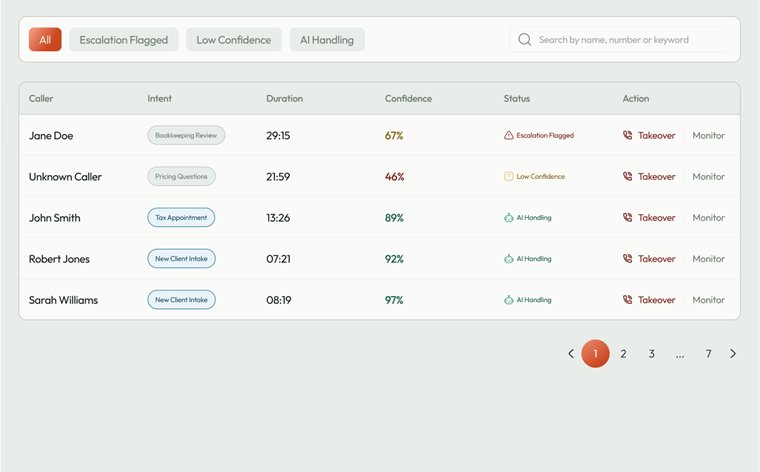
    The call is loggedOutcome, duration and booking, searchable
  5. The AI learns5
    The AI learnsGaps go into the knowledge base
04 / Affinity map

How the features group.

The features, grouped by the need each one serves.

Watch

Live call list

Confidence score

Live transcript

Call progress steps

Step in

Escalation queue

Take over

Urgent callbacks

Book from the call

Look back

Call logs

Appointments

Analytics

Weekly report

Teach and set up

Knowledge base

Greeting script

Business hours

Roles and alerts

05 / The screens

The key screens.

Dashboard
Screen 01

Dashboard

What needs attention now, and how the AI is doing.
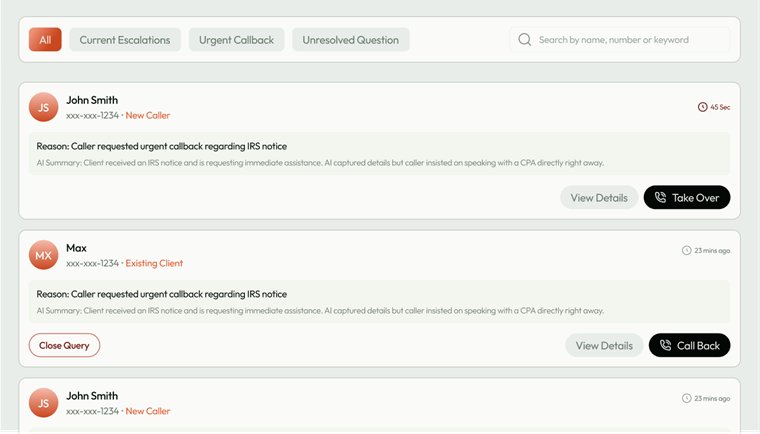
Escalations
Screen 02

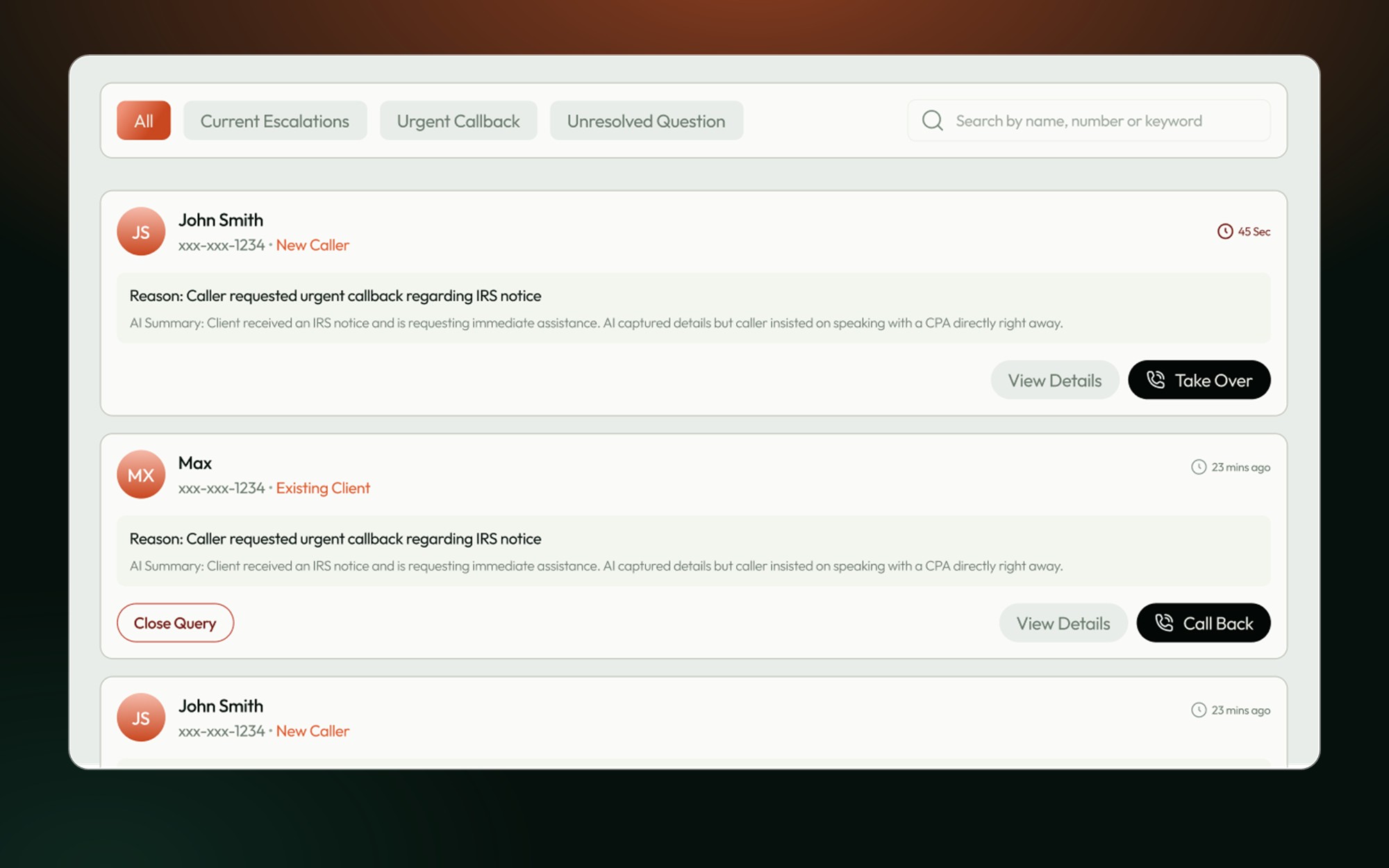
Escalations

Every handed-off call, with a waiting timer.
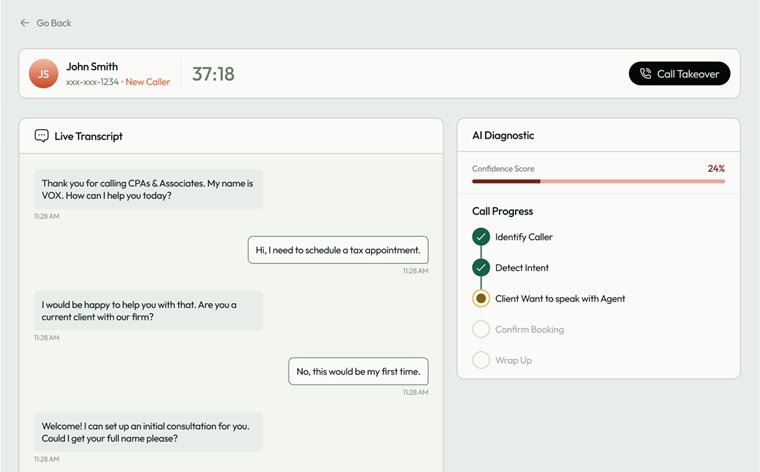
Live call monitor
Screen 03

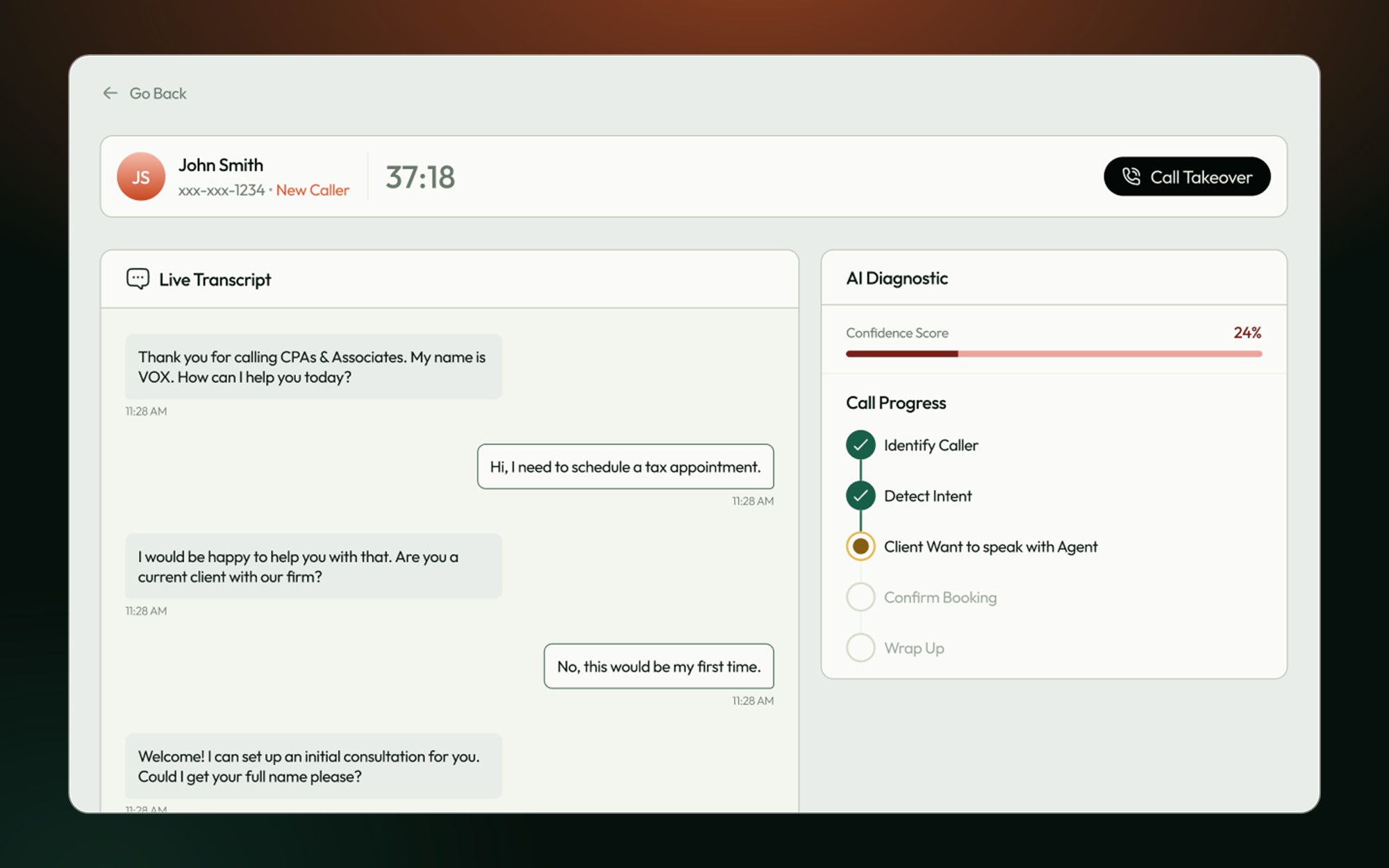
Live call monitor

The transcript and the AI’s confidence.
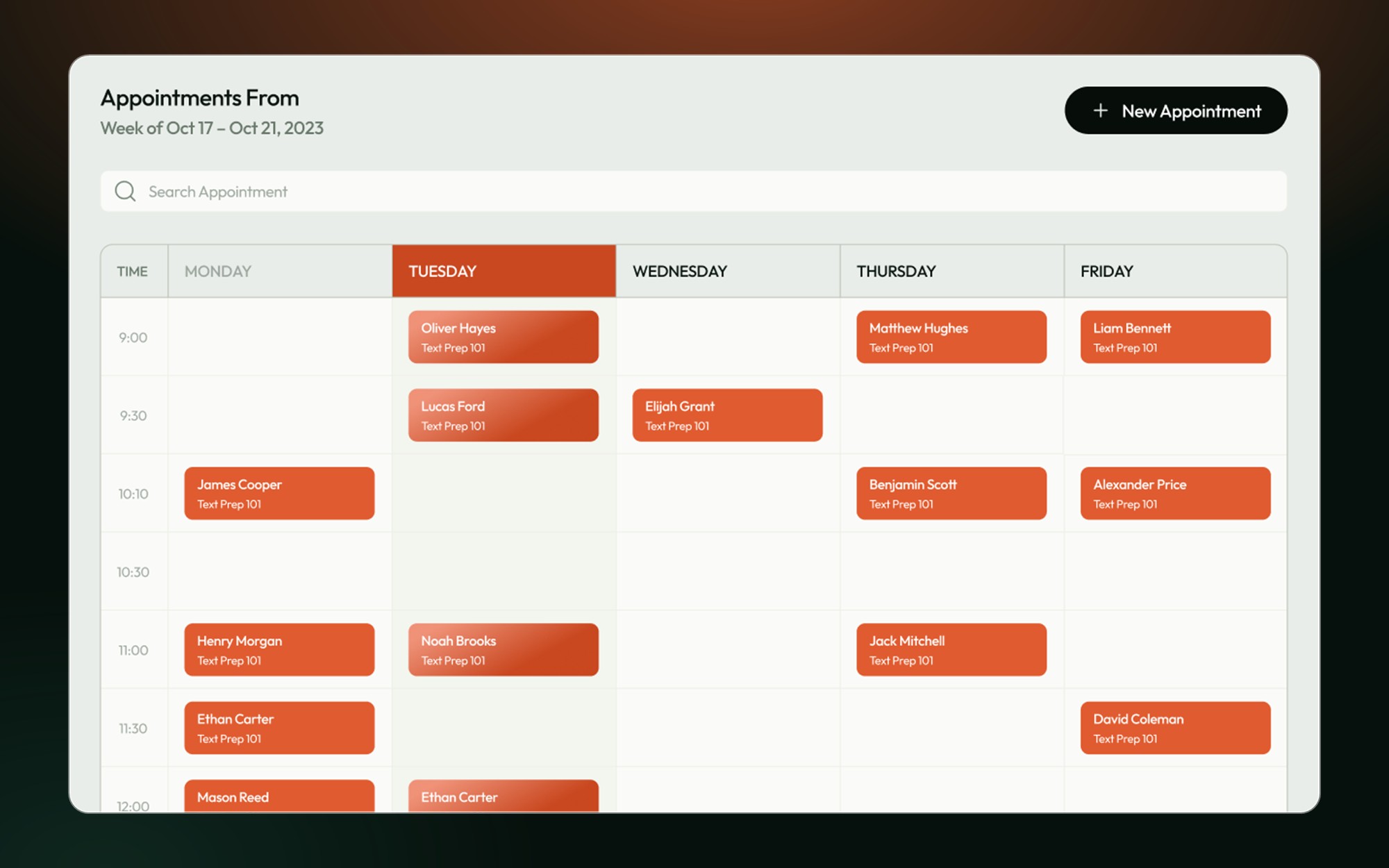
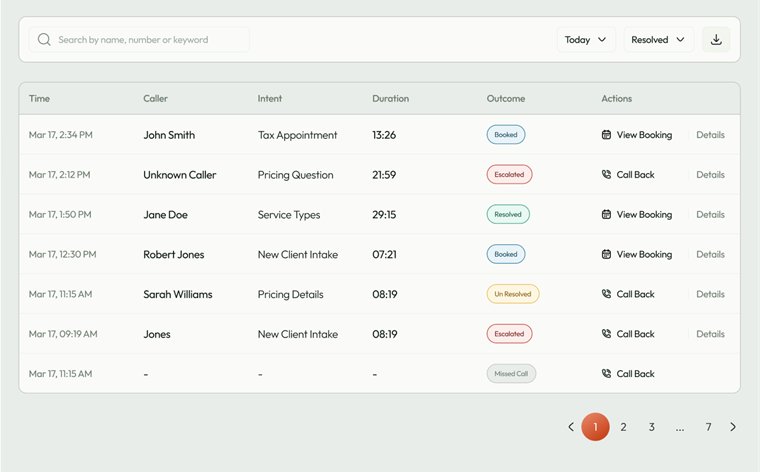
Logs and appointments
Screen 04

Logs and appointments

Every call and every booking.

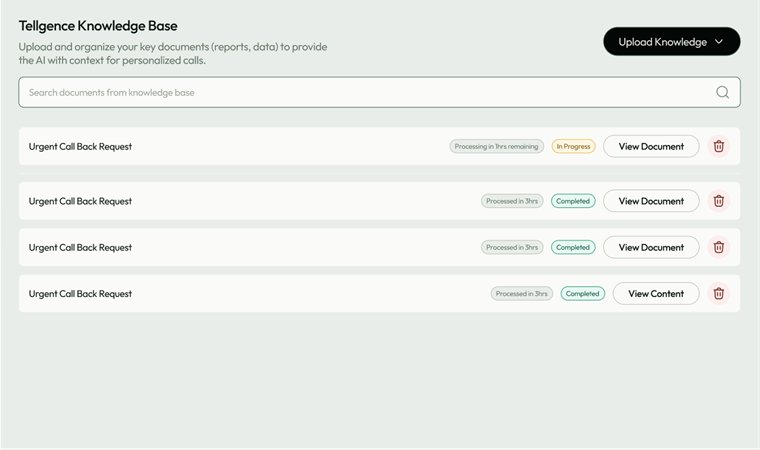
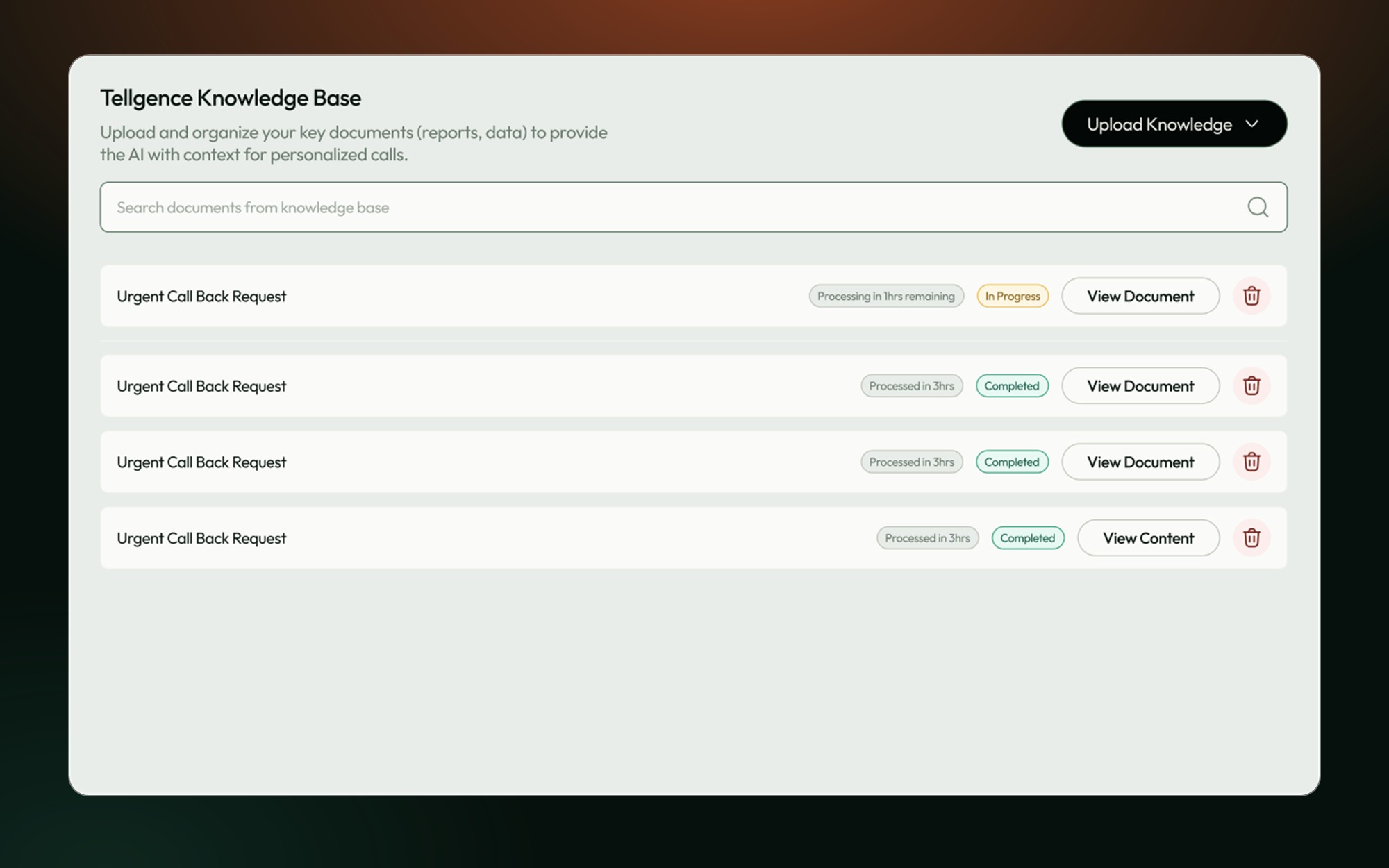
Knowledge base
Screen 05

Knowledge base

The documents the AI answers from.

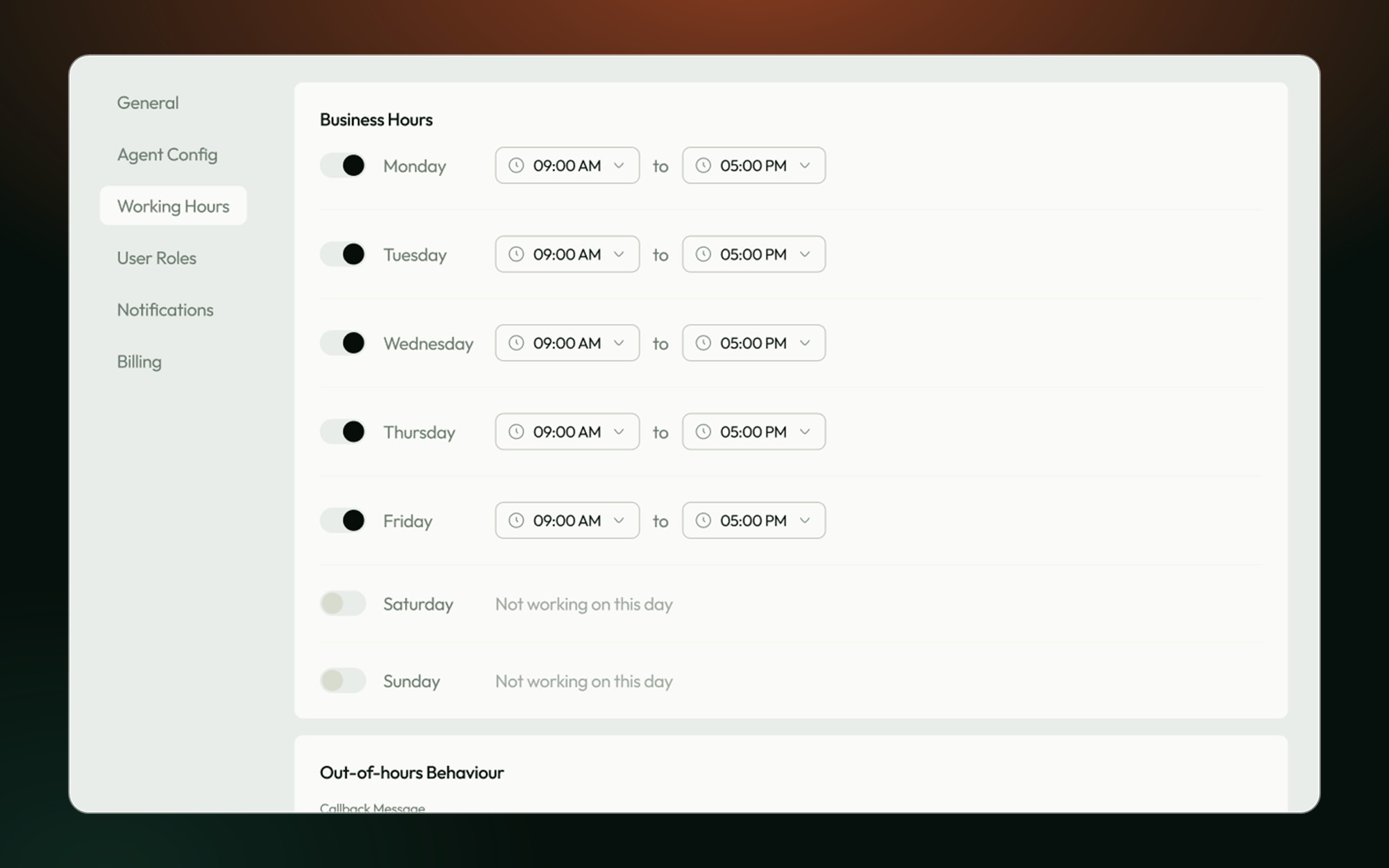
Agent settings
Screen 06

Agent settings

Voice, script and business hours.

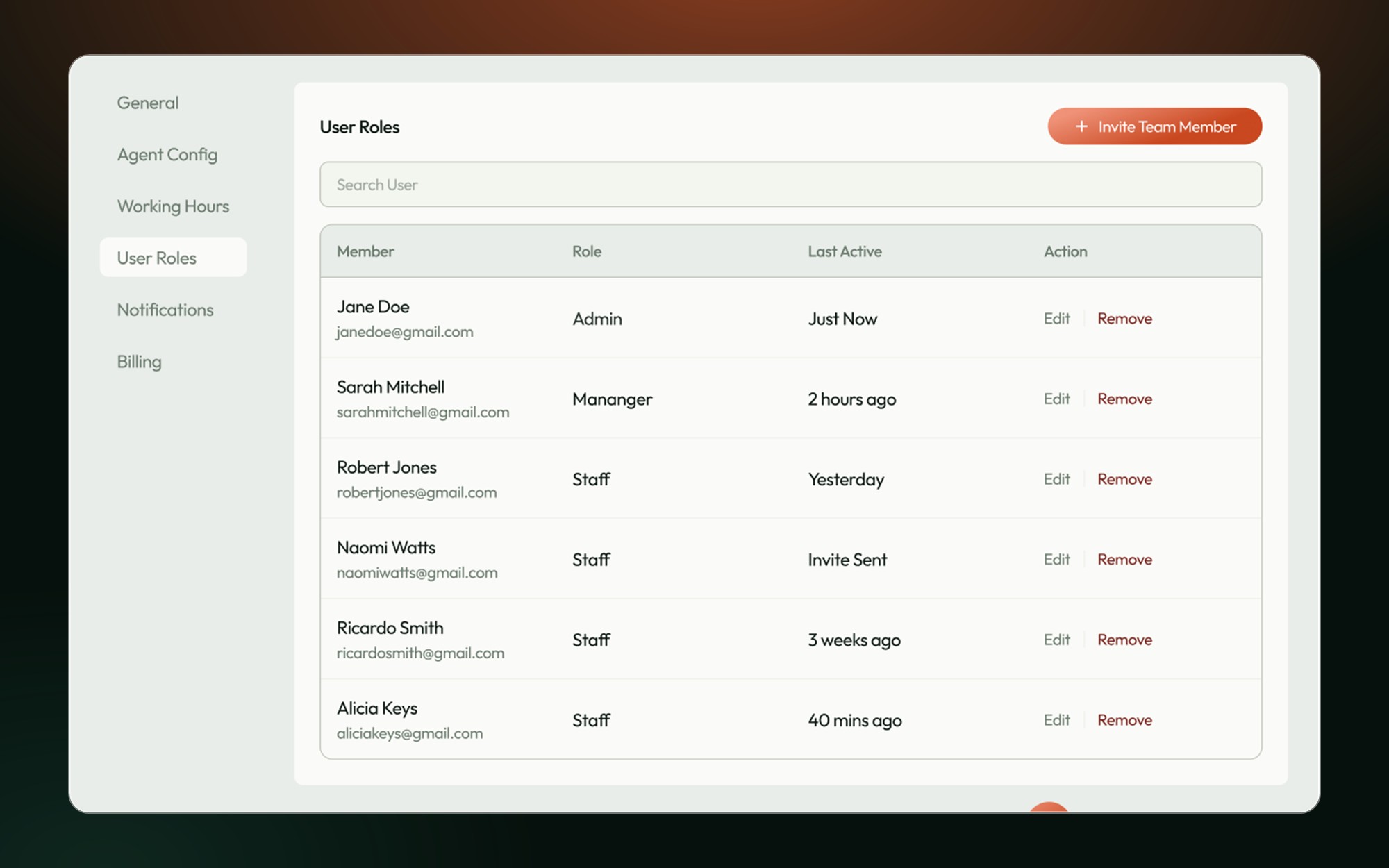
Team and alerts
Screen 07

Team and alerts

Roles, notifications and email.

A complete first design sprint.

Sign-in, seven dashboard areas, call pop-ups and notifications, built from one shared component library.

Keep exploring · WebsiteTellgence Web↗

The marketing site for the same product.