HEHE
← All projects

CINDERA

A patient request app that sends each need from a hospital bed to the right staff role, with live status.

Industry
Healthcare · U.S. hospitals
Services
Patient app, staff apps, web dashboards
Timeline
16 weeks
Team
6 specialists
Visit live website ↗
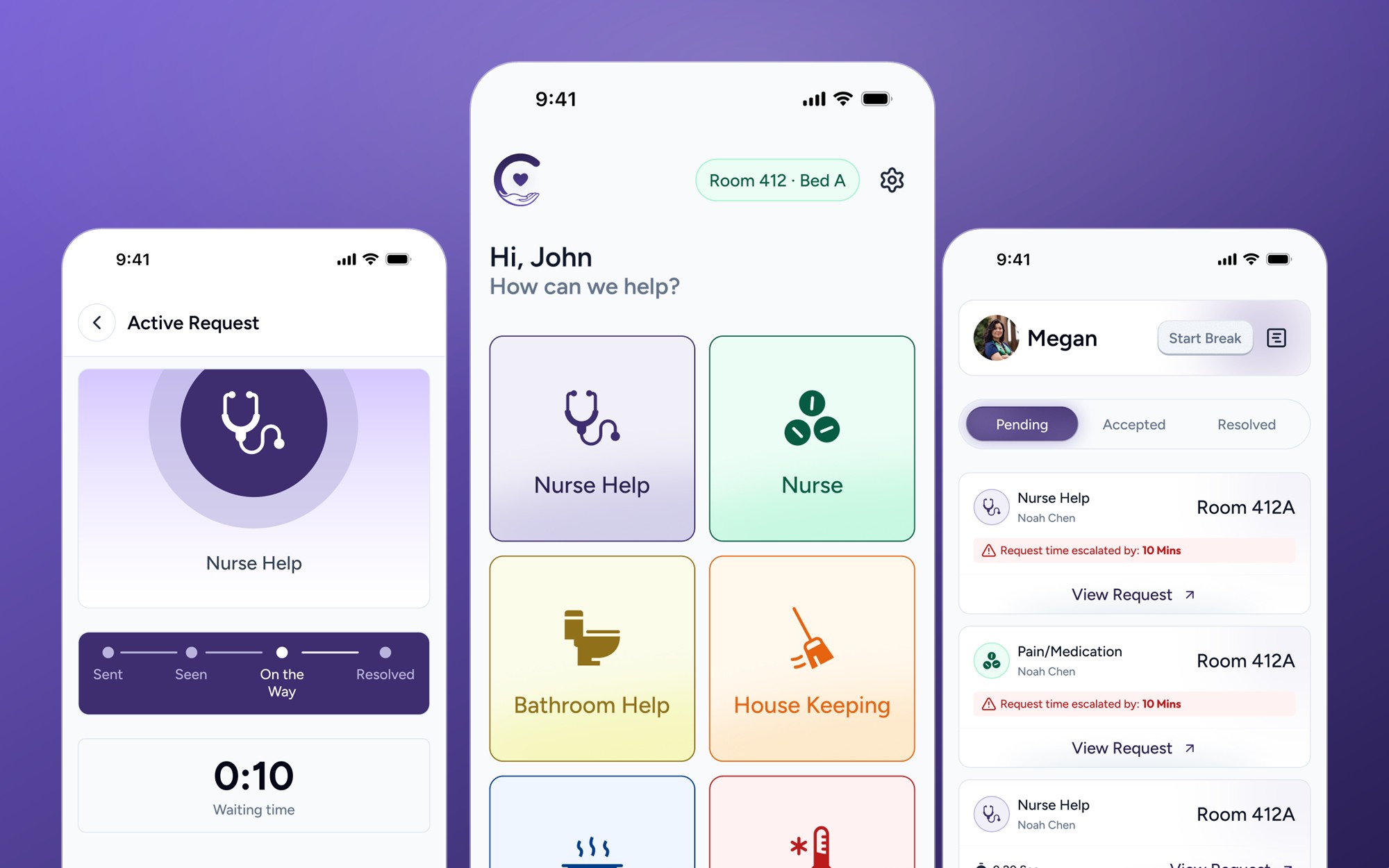
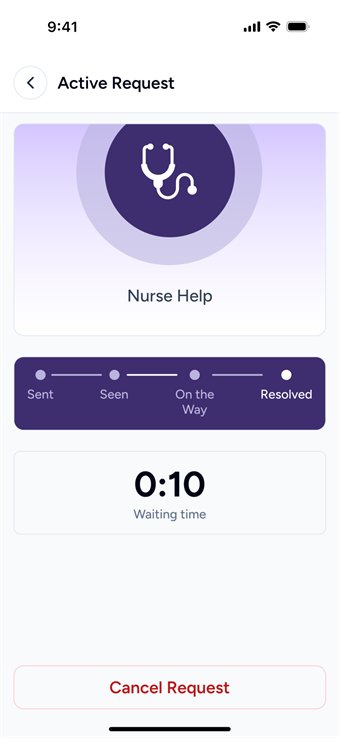
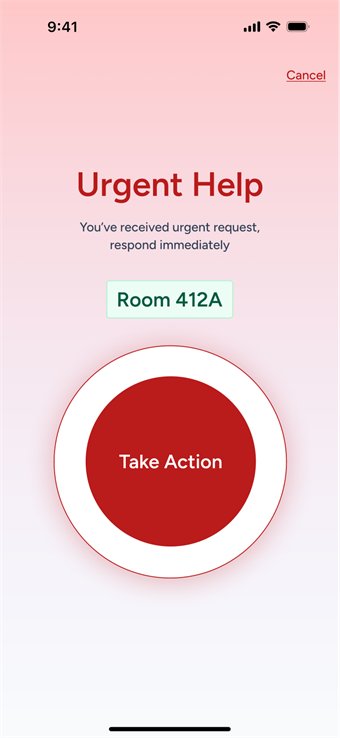
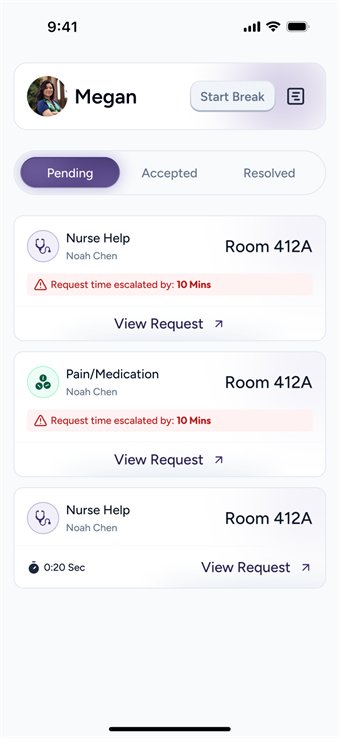
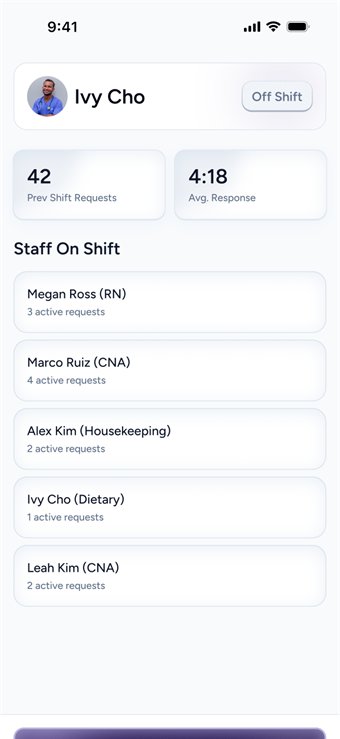
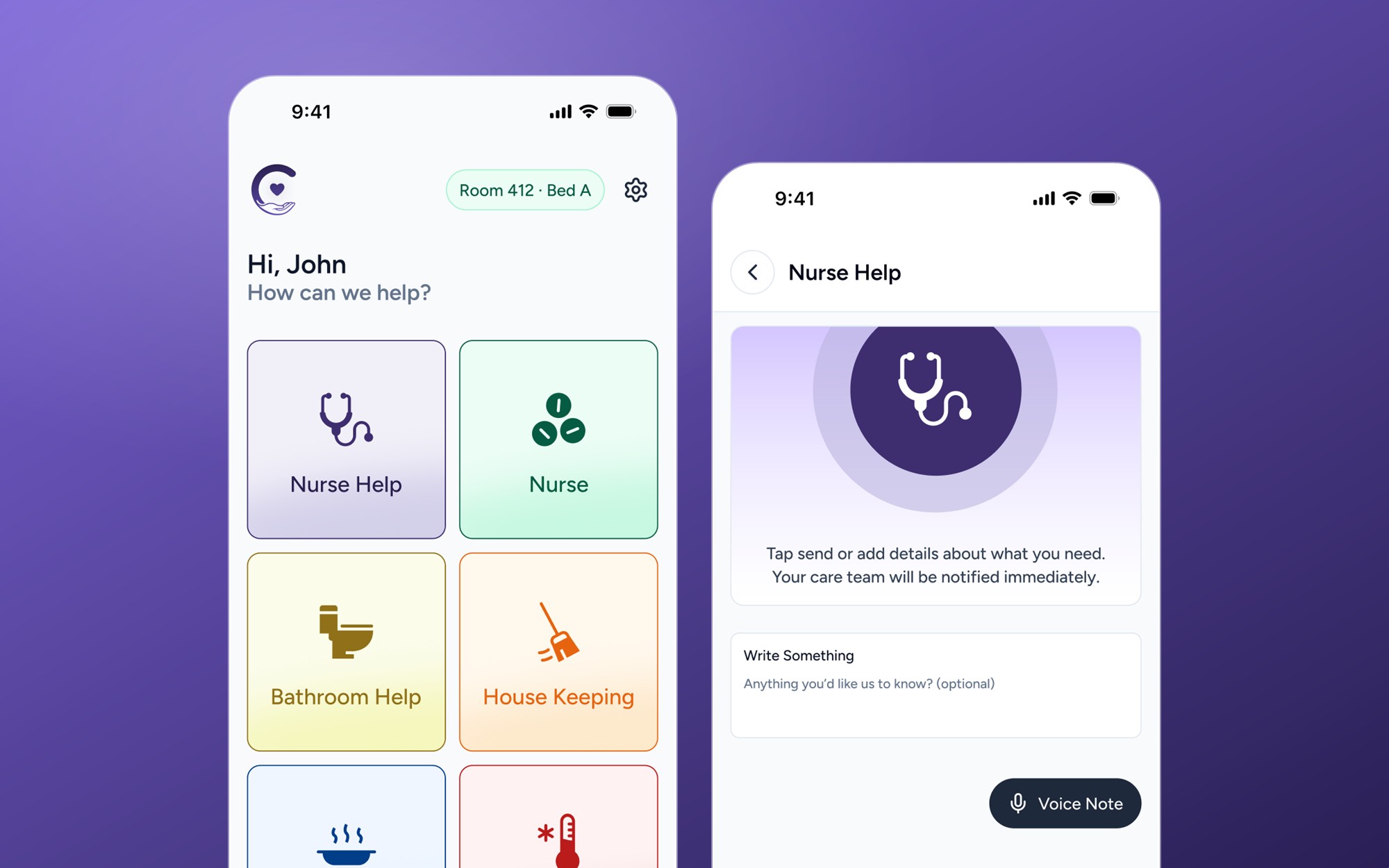
Cindera app screens: patient home, live tracking and staff queue
40–50%Non-RN call volume

Requests support roles can handle

13+Min avg. response time

A common call-light delay

6Request categories

Instead of one call light

4-stageLive tracking

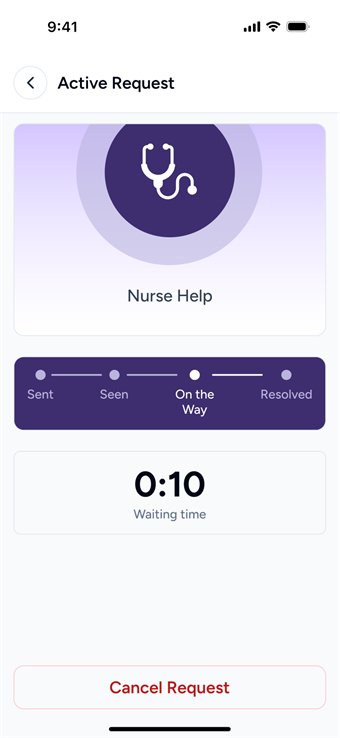
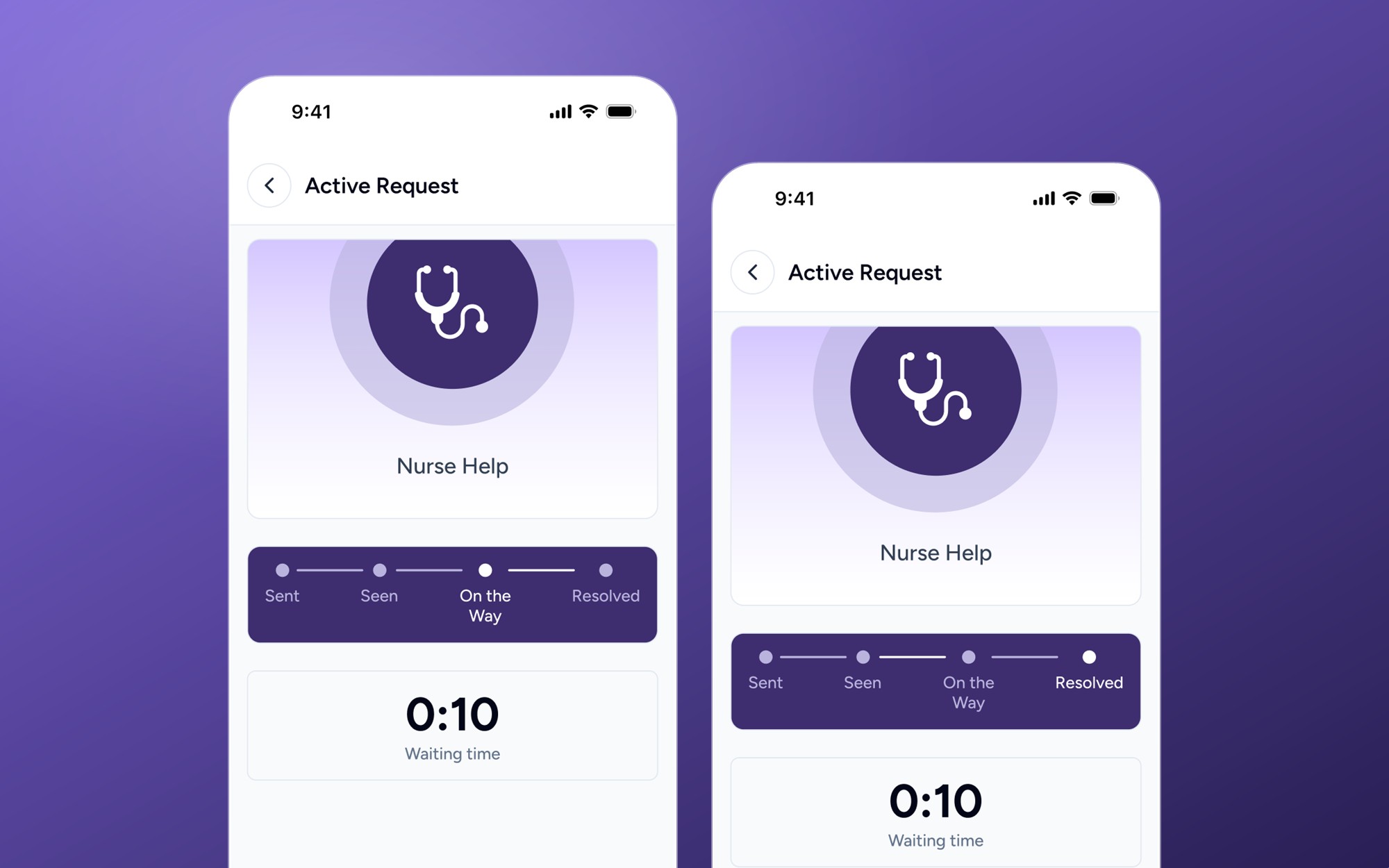
Sent → Seen → On the way → Resolved

Every request looks the same.

A call light says someone needs something, never what. A nurse walks over just to find out.

  • Nurses become the default router
  • Patients wait with no visibility
  • Leaders have no response data

The design question

How can a request say what it needs before anyone is interrupted?
02 / Who uses it

Who it’s for.

03 / The flow

How it works, step by step.

Patient: ask and follow

  1. Choose1
    ChooseOne of six clear options
  2. Describe2
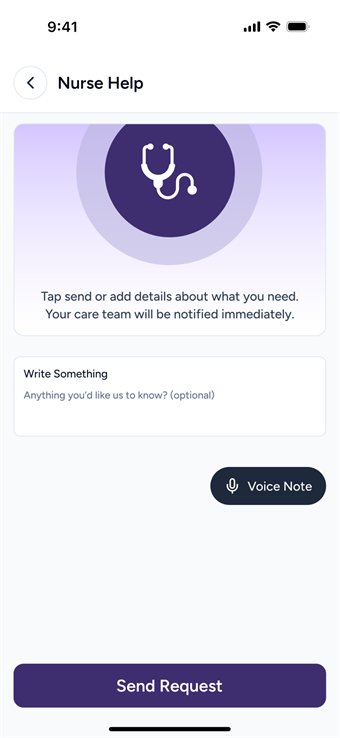
    DescribeOptional text or voice note
  3. Sent3
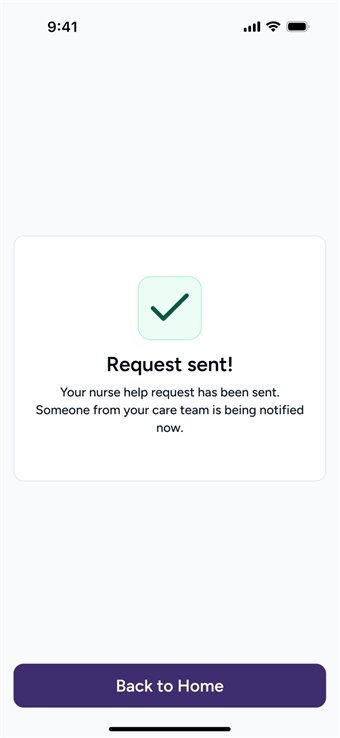
    SentConfirmation, with a timer
  4. On the way4
    On the wayLive four-stage progress
  5. Resolved5
    ResolvedDone, and logged

Staff: receive and resolve

  1. Alert1
    AlertThe right role is notified
  2. Queue2
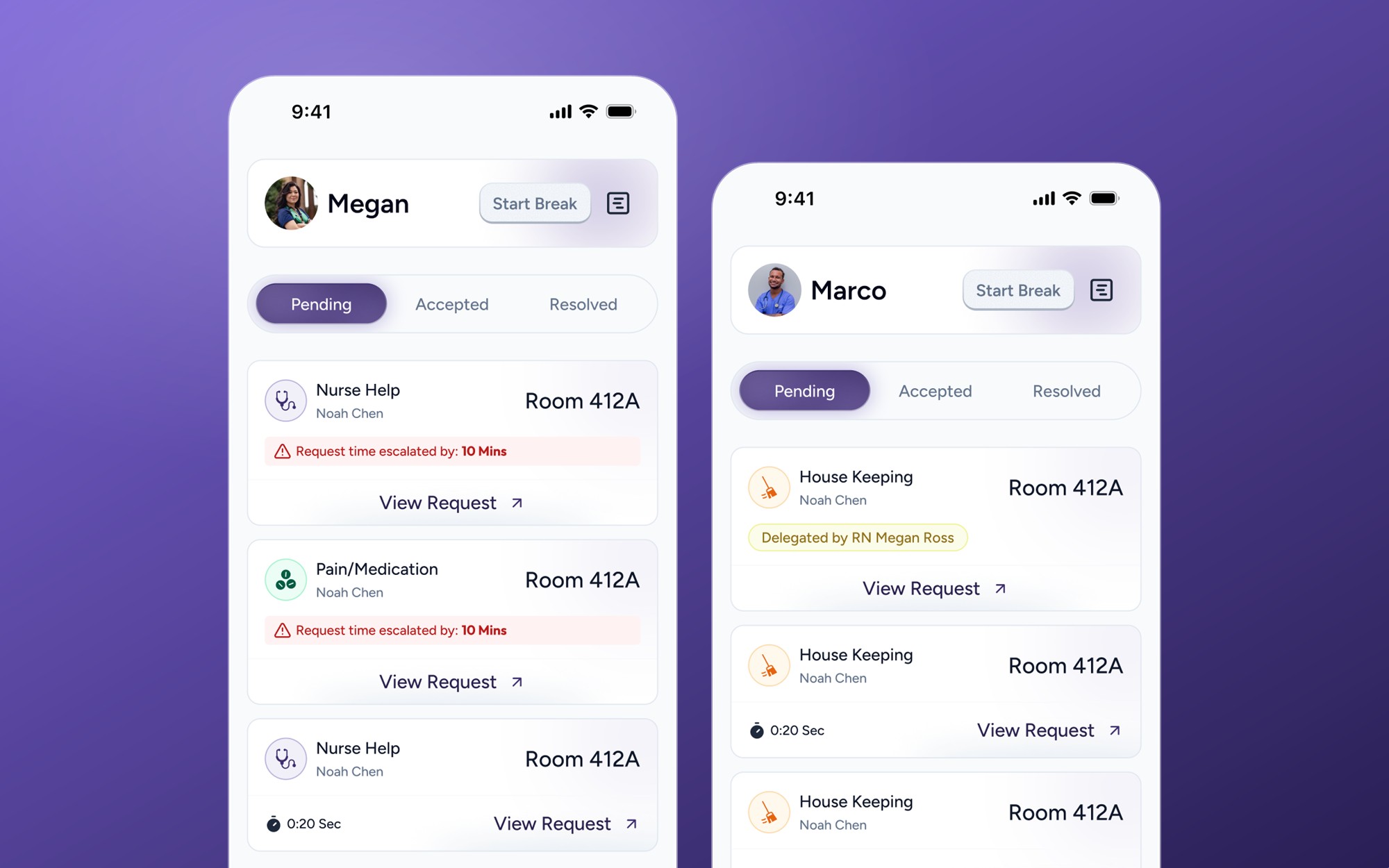
    QueuePending, accepted, resolved
  3. Escalate3
    EscalateLate requests reach the charge nurse
  4. Report4
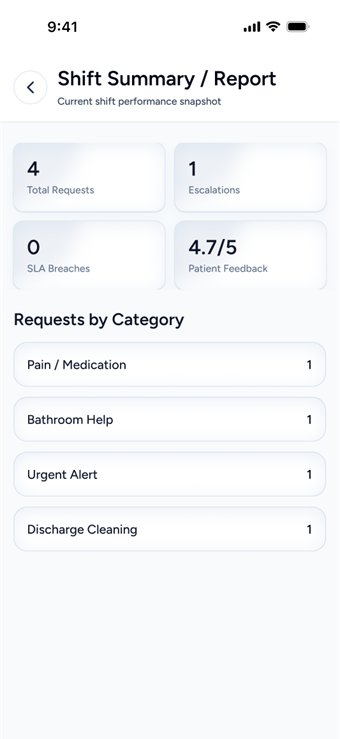
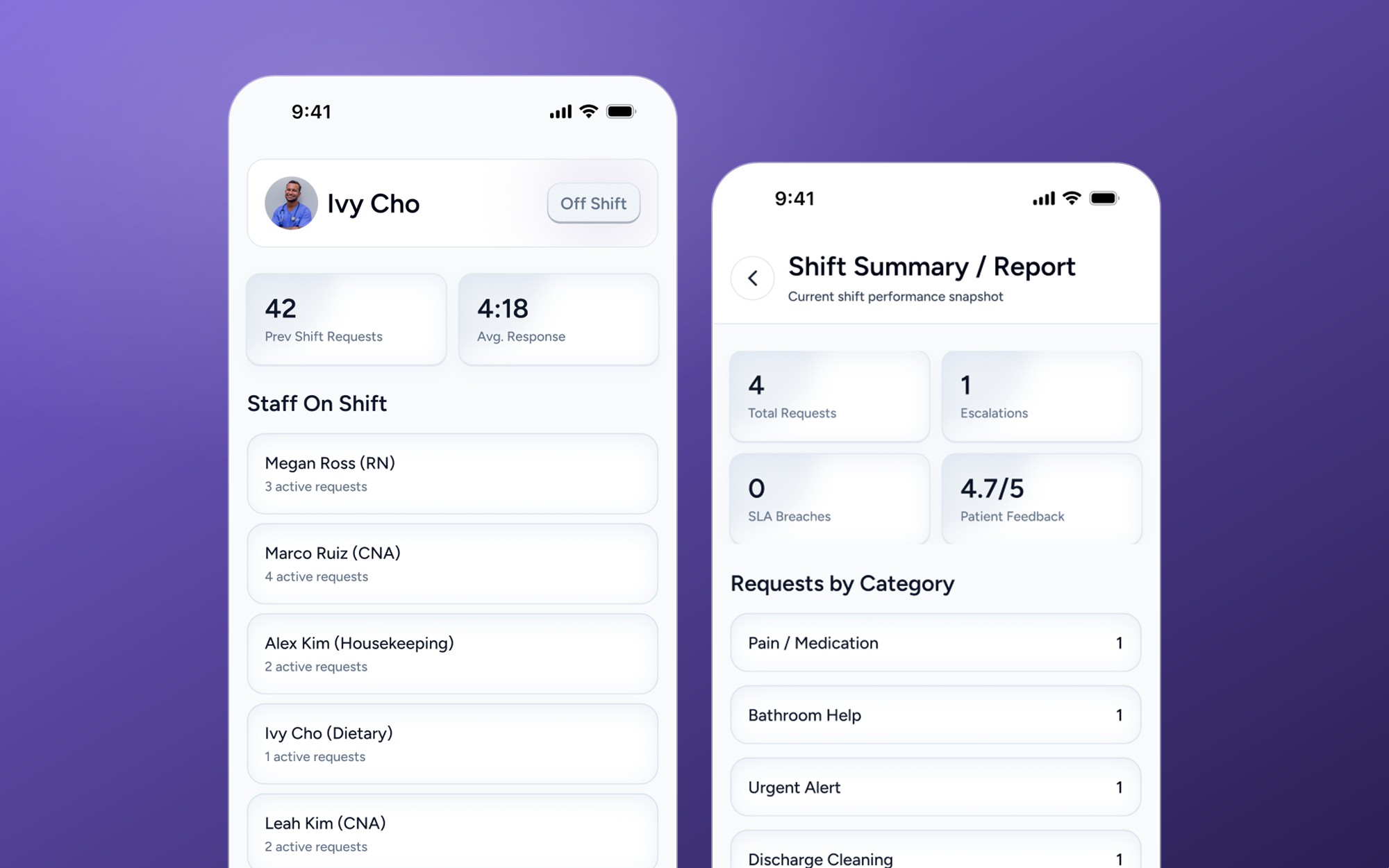
    ReportA shift summary of what happened
04 / Affinity map

How the features group.

The features, grouped by the need each one serves.

Ask

Six request categories

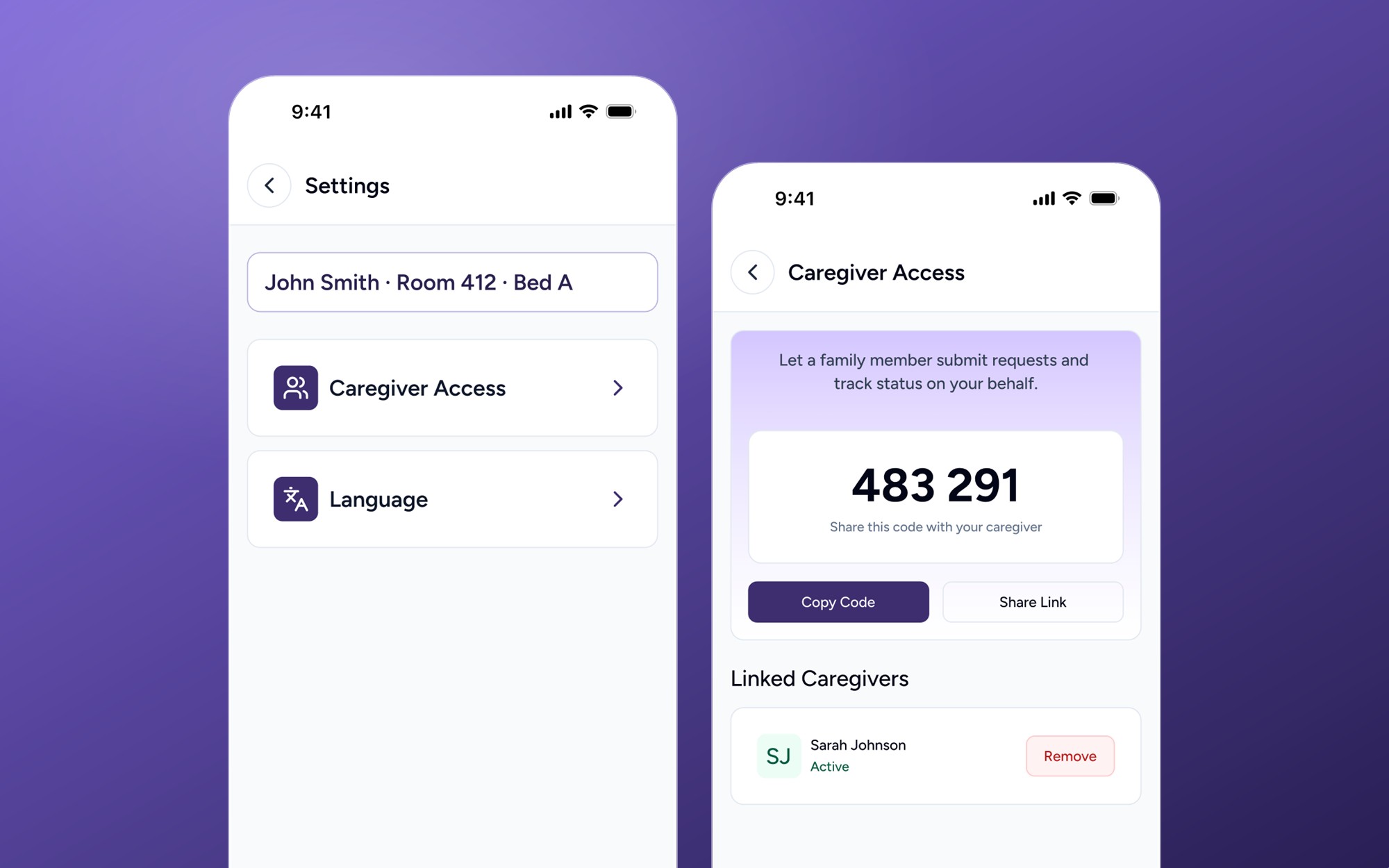
Code or QR, no login

Text or voice note

Route

Role-based routing

Delegate to a CNA

A queue for each role

Track

Four-stage progress

Live waiting timer

Cancel a request

Caregiver access

Oversee

SLA escalation

Charge nurse view

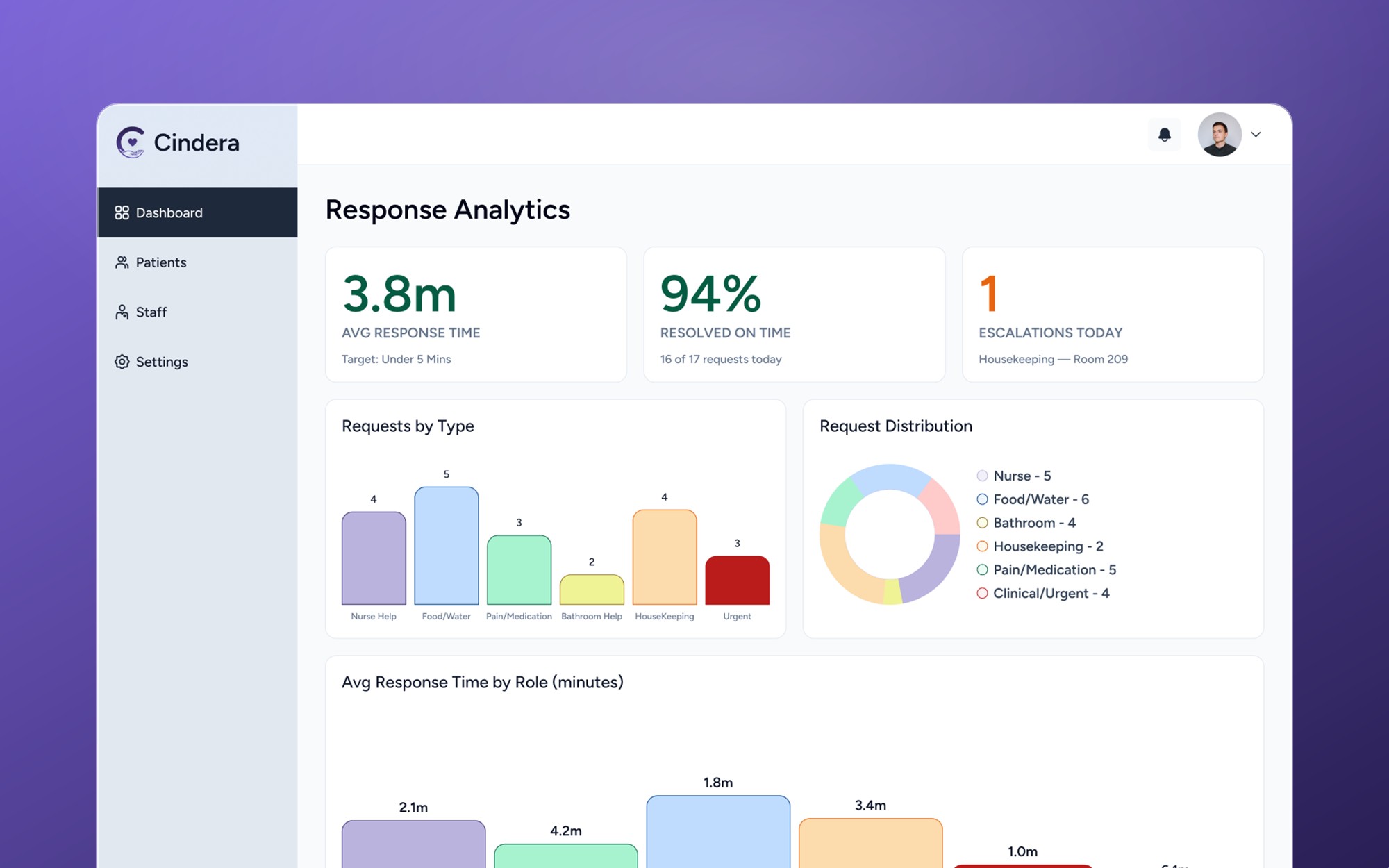
Response analytics

HCAHPS reporting

05 / The screens

The key screens.

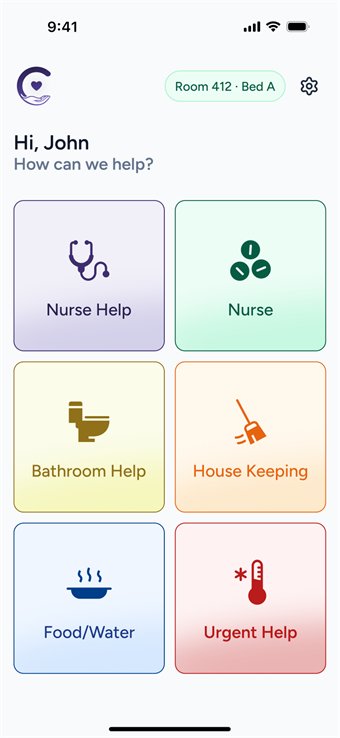
Ask for help
Screen 01

Ask for help

Six categories on one screen.

Role queues
Screen 02

Role queues

Each role sees only its own requests.
Live status
Screen 03

Live status

Patients see exactly where a request is.
Charge nurse view
Screen 04

Charge nurse view

Late requests never get lost.

Caregiver access
Screen 05

Caregiver access

Family can send and follow requests.

Leadership dashboard
Screen 06

Leadership dashboard

Response times and SLA, in one place.

From one alert to a routed workflow.

Patients say what they need, staff get role-specific queues, and charge nurses see bottlenecks early.

Before
  • Every request looks the same
  • Nurses act as routers
  • Patients wait without visibility
After

Requests are categorized, routed, tracked, escalated by SLA, and visible to everyone who needs them.

Keep exploring · WebsiteCindera Web↗

The landing page that explains a new kind of nurse call in seconds.